
Police Clearance Online Login: How to Sign In and Fix the Usual Problems
You type your email and password into the police clearance online login, click Sign in, and the portal still won’t let you through. It’s annoying. It’s also fixable, usually in a few minutes.
Sign-in and password reset pages reviewed on 17 October 2026 at pnpclearance.ph.
The police clearance online login is at pnpclearance.ph/signin, and your “User Name” is the email address you registered with. If that alone doesn’t get you in, find your problem further down.
A quick word on trust first. This site isn’t run by the PNP, and we’ll never ask for your login details. Nobody else should either.
Where is the police clearance online login?
On the portal’s home page, click Login at the top. That opens the National Police Clearance System login page. It asks for two things, User Name and Password. Under them you’ll find the Sign in button, a Forgot Password link and a Register Here link.
There’s one national police clearance login for the whole country, so it doesn’t matter which station you plan to visit. Bookmark the police clearance sign in page once you’ve found it. Search for a police clearance portal login and you’ll see plenty of look-alike sites, some with official-sounding names. Before you type a password anywhere, check that the address bar shows pnpclearance.ph. Our PNP clearance guide lists more ways to spot a copy.
The “User Name” catch
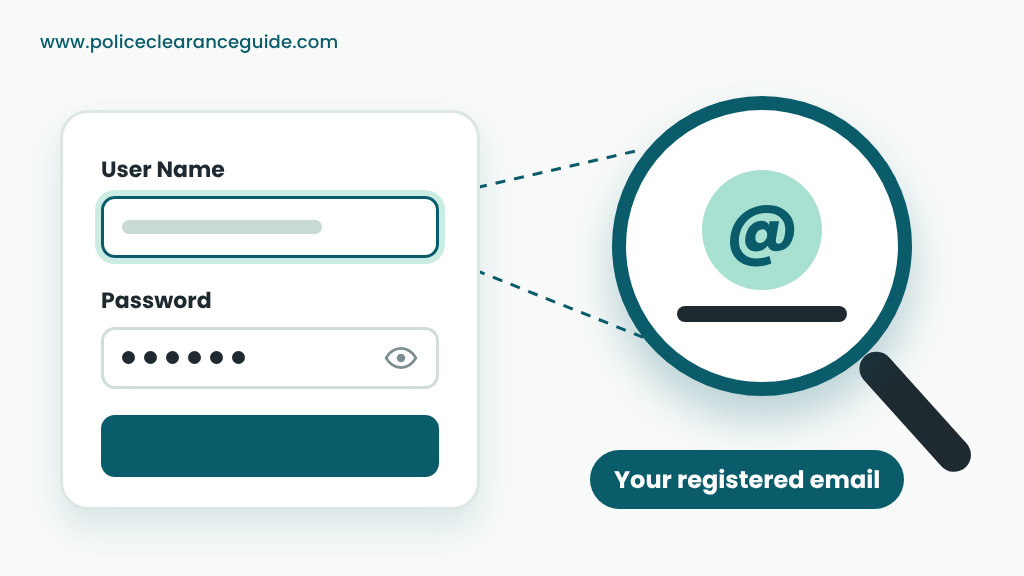
On the police clearance online login page, the field says User Name, but the note above the form asks for your email address. Type the whole thing, including @gmail.com or whatever your provider uses. A name like “juan.delacruz” on its own won’t match any account, so even the right password fails with it.
Police clearance login or new registration?
If you searched “pnpclearance.ph register login,” you’re probably unsure which button you need. Here’s the rule. Never had a national police clearance? Then you need an account first, so start with online registration. Had one before, even years ago? The account already exists. Log in to it instead of opening a second one.
Police clearance login problems and fixes
Most online police clearance login problems come down to one of the six below.
I forgot my password
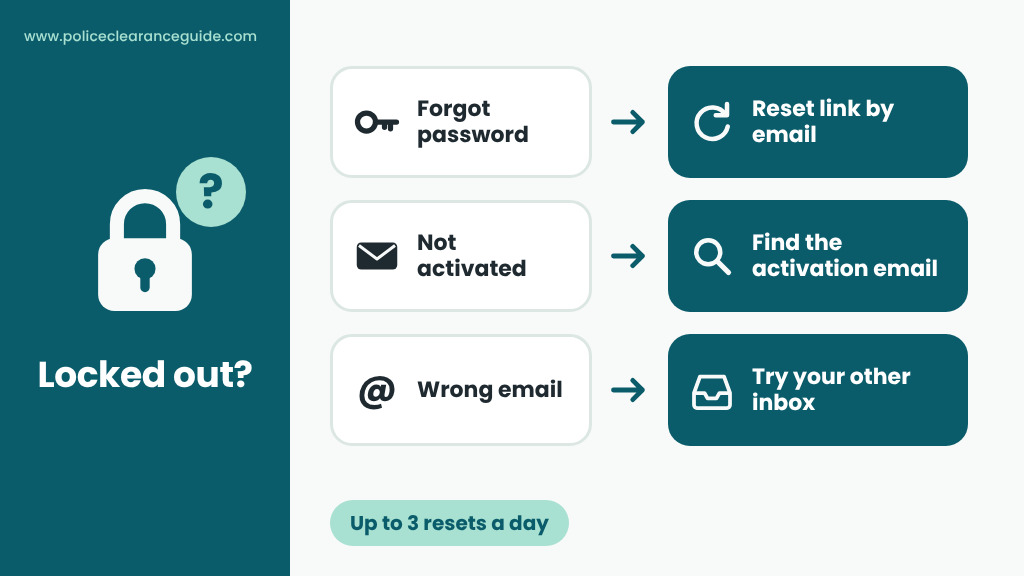
Click Forgot Password under the sign-in form. A page titled Reset your Password asks for one thing, your email. Type the address you registered with and click Reset Password. The portal then sends you a link for setting a new password.
Keep two limits in mind. You can request a reset only three times a day, so don’t keep clicking when the email is slow. Check spam and promotions, and give it a little time. Also, the link goes only to the address you type. If that address isn’t the one on your account, there’s nothing to reset.
It keeps saying my details are wrong
When the police clearance online login rejects you, run through this list before you reset anything:
- Did you type the full email, ending included?
- Is Caps Lock on? On a phone, did the keyboard capitalize the first letter of your password by itself?
- Did the browser fill in an old saved password?
- If you pasted the password, did a stray space come with it?
Still stuck? Reset it. That’s quicker than guessing.
I never activated my account
A new account can’t use the police clearance online login until you click the link in its activation email. As checked on 17 October 2026, the sign-in page has no button for sending that email again, so search your inbox and spam folder for it. Did you mistype your address when you signed up? Then the link went somewhere you can’t reach, and the fix is a new registration using the right address.
I don’t remember which email I used
Think back to when you signed up. Was it a personal address, an old work account or a school email? Search each inbox for the portal’s activation email. Whichever inbox has it is the one tied to your national police clearance account. Resets are capped at three a day, so try the most likely address first.
I can’t open that email anymore
This one takes more work, because the reset link only goes to the email on file. Try to recover the email account itself first, using your email provider’s recovery steps. If that fails, ask the help desk listed on the portal’s Contact page. It’s based at Camp Crame in Quezon City and works weekdays, 8 to 5.
Treat a brand-new account as the last resort. Renewals run from your original account, so a fresh one starts with no history. You’d likely go through the process like a first-timer, station visit included.
Search sent me to an admin page
You might come across a national police clearance admin login, at an address like pnpclearance.ph/admin/login. As the name suggests, admin pages are for the people who run the system, not for applicants. Close it and go back to the normal sign-in page. That’s the only pnpclearance.ph login page you need.
What’s inside your police clearance account
Once you’re through the police clearance online login, the menu includes these:
- Edit Profile. Your personal details, which print on the clearance. Our application form guide explains the trickier fields.
- Clearance Application. Here you choose a purpose, a station, a date and a session. See how booking an appointment works.
- Transactions. Your bookings and their reference numbers. A booking you haven’t paid for yet shows as Pending.
- Clearance Certification. A separate process for people who can’t appear in person, such as applicants abroad or those who are bedridden.
Renewing? You start from this same account. Our renewal guide walks you through it. Was your last clearance done in person less than three years ago? Then the non-appearance option may let you renew without the trip.
Using the police clearance login on a shared computer
Lots of applicants use a computer shop or a borrowed laptop. That’s fine, as long as you clean up after. Don’t let the browser remember your national police clearance login. Log out when you’re done, then close the browser window. The next person at that seat shouldn’t be able to open your profile, with your address and birthday on show.
Your own phone is the safer choice anyway. No app or laptop needed: the online police clearance login works fine in a phone browser.
Back in? Pick your next move
- Just registered? Complete your profile before anything else, since it prints on your clearance.
- Already booked? Open Transactions and check the payment status. The fee has to land two banking days ahead of your slot, or the booking can be cancelled.
- Starting from scratch? The full police clearance guide lays out the process from start to finish.
