
How to Verify a Police Clearance Online in Under a Minute
Police clearance verification takes two details and about a minute. Open Verify Clearance on pnpclearance.ph, type the last name on the paper and its transaction number, tick the captcha, then click Verify. It’s free, it needs no account, and it works for employers, landlords and applicants alike.
Verification steps checked on the official portal on 29 October 2026.
| Item | Answer |
|---|---|
| Where to check | Verify Clearance, on pnpclearance.ph |
| What you need | The last name and the transaction number |
| Account needed? | No |
| Cost | Free |
| Wait between checks | 30 seconds |
| Quick extra check | The QR code printed on the clearance |
We run an independent guide with no PNP connection. We can’t check clearances for you, and you should never send a clearance to anyone who offers to.
What you need for police clearance verification
Have these ready so the check works the first time:
- The clearance itself, or a clear scan of it
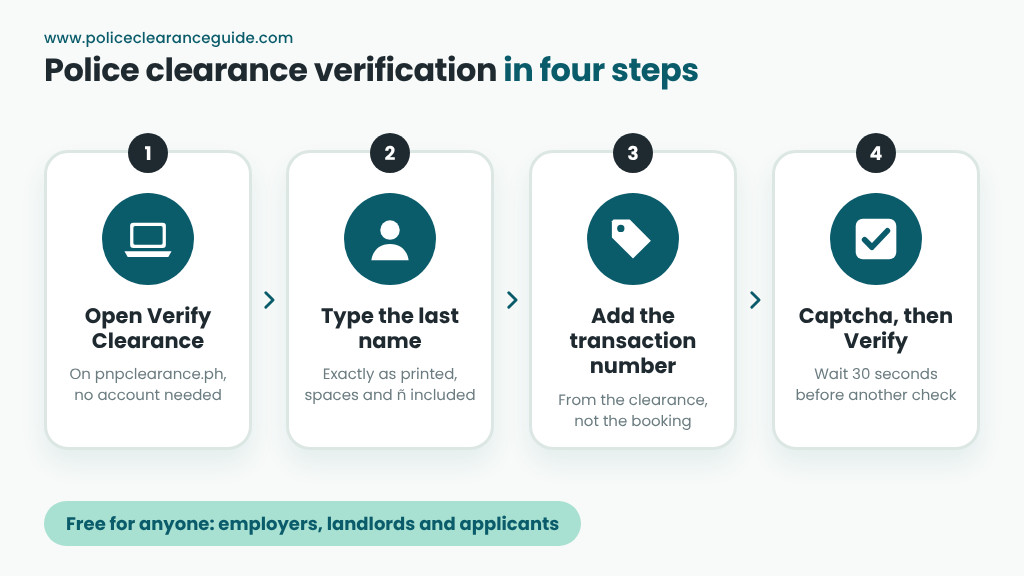
- The last name exactly as printed, including spaces and “ñ”
- The transaction number from the clearance, not the booking reference number
- A phone or computer with internet access
How to verify police clearance on the portal
Here’s the whole check, step by step. It’s the same for a national police clearance verification at any office.
Step 1: Open the official portal
Type pnpclearance.ph into your browser yourself. Don’t follow links from chats or emails, because lookalike pages exist.
Step 2: Choose Verify Clearance
You’ll find Verify Clearance in the portal’s main menu. You don’t need to register or sign in to use it.
Step 3: Enter the last name
Type the applicant’s last name exactly as printed. For example, “Santos-Reyes” and “Santos Reyes” can look the same to you but not to the system.
Step 4: Type the transaction number
Copy the transaction number from the clearance, digit by digit. Then read it back once, since one wrong digit returns no match.
Step 5: Tick the captcha and click Verify
Complete the captcha box, then click Verify. If you need to check another clearance, the page asks you to wait 30 seconds first.
Step 6: Compare the result with the paper
Read what the page shows and compare it with the clearance in your hand. The name and details should match. If they do, note the date you checked. If they don’t, or if the page finds nothing, try once more after 30 seconds. Then, if it still fails, treat the paper as unverified until you sort it out with the applicant.
Who should verify a police clearance?
Anyone who relies on one. HR teams usually check during onboarding, before a new hire’s first day. Landlords, schools and agencies check when the clearance arrives with an application. Applicants benefit too: a quick check before you submit tells you the record is readable and the number is right.
Timing matters as well. Check soon after you receive a clearance, while the applicant is still around to fix any problem.
Using the police clearance QR code
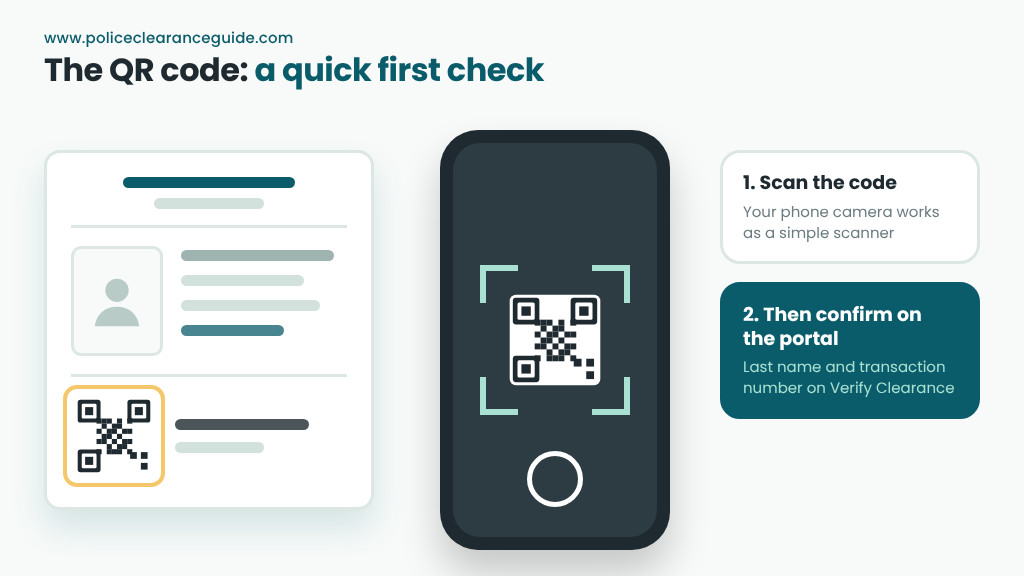
Every clearance from the national system carries a QR code. You can read it with your phone’s camera, which works as a simple police clearance scanner for a quick first check. Still, the two-field check on the portal is the one to rely on, because anyone can print a code. There’s no separate official police clearance checker app or scanner. So be wary of apps or sites that claim to be one.
Police clearance validation: cost and timing
The check costs nothing and takes seconds once you have the right details. However, the 30-second wait means a batch of ten clearances takes a few minutes. HR teams that check many papers often keep a simple log: name, number, date checked and result.
Signs of a fake police clearance
A fake police clearance often fails in small, visible ways. Watch for these:
- No match on Verify Clearance. After two careful tries, this is the biggest red flag.
- Details that differ from the ID. The name or birth date doesn’t match the person in front of you.
- Odd fonts or edits. Uneven text, smudged numbers or a blurry QR code suggest tampering.
- A purpose that doesn’t fit. A clearance printed for a different use may not suit your office.
- An old issue date. Even a real clearance expires six months after it was issued.
If you suspect a fake, don’t accuse anyone on the spot. Instead, ask the person to apply again or to show the paper at a check you can watch.
What verification doesn’t tell you
A passed check confirms that the clearance record exists and matches the paper. That’s all it does. It doesn’t replace an ID check, so still compare the person with a government ID. It also doesn’t cover NBI records, which the NBI checks separately. And it doesn’t extend validity: a verified clearance still expires six months after its issue date.
Common mistakes when checking
Most failed checks come from simple slips rather than fakes:
- Using the booking reference number instead of the transaction number
- Typing a first name or full name in the last-name box
- Adding or dropping a space in compound surnames
- Checking again before the 30 seconds pass
Quick answers
| Question | Short answer |
|---|---|
| How to check police clearance online? | Open Verify Clearance on pnpclearance.ph, enter the last name and transaction number, tick the captcha and click Verify. |
| Is there a legit police clearance online checker besides the portal? | No. The portal’s Verify Clearance page is the official check. |
| Can I verify my own clearance? | Yes. Anyone can, and it’s a good habit before you submit it. |
| What if the check finds no match? | Recheck the spelling and the number. If it still fails, ask the applicant or the issuing station. |
| Does police clearance verification online cost anything? | No. The check is free and needs no account. |
Your next step
Check your own clearance once before you hand it in, so you know it passes. Then read our guide to the parts of a police clearance to know where each detail sits, or visit our main police clearance guide for the full process.
